Automated Workflows
Build the automations behind your lifecycle stages, lead routing, notifications and follow-up so nothing depends on someone remembering.
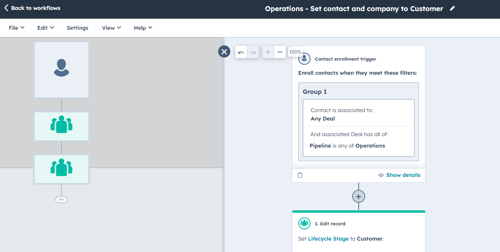
Automated workflows handle the behind-the-scenes work your CRM should be doing on its own, like updating lifecycle stages, assigning new leads to the right owner, notifying your team, creating follow-up tasks and cleaning up data as it comes in. Email nurture campaigns are handled in their own step, so this one focuses on operations.
Each workflow comes straight from the automation map you made during lifecycle and pipeline design, so you're building what your process actually needs instead of automating whatever seems possible. They're built in priority order, starting with lifecycle updates and lead routing, since those affect every lead that comes in.
This step also cleans up what's already there. Workflows flagged in the HubSpot audit get retired or rebuilt, and every workflow that stays gets a clear name, a folder and a spot in a simple inventory that lists its purpose, trigger and owner.
Signs you need this
- New leads sit for days before anyone follows up
- Someone updates lifecycle stages or assigns owners by hand
- Old workflows are still running and nobody knows what they do
- Workflows conflict with each other or send people in circles
- Your team does the same manual steps every week
End results
- Priority workflows from your automation map built and tested
- Old or broken workflows retired or rebuilt
- A workflow inventory that lists each workflow's name, purpose, trigger and owner
- A naming convention and folder structure that makes workflows easy to find
- A monthly check for enrollment errors and a quarterly review against your automation map
Common questions
Which workflows should I build first?
Start with lifecycle stage updates and lead routing, since those affect every new lead. Notifications, follow-up tasks and data cleanup come next, once the basics are working.
How do I know if a workflow is still needed?
Check what triggers it, what it does and whether it matches how your process works today. If nobody can explain why it exists, turn it off and watch for a few weeks before deleting it.
What's the difference between a workflow and a nurture campaign?
A nurture campaign sends a series of emails to move someone toward a goal. Workflows in this step do operational work, like setting properties, assigning owners and creating tasks, usually without sending anything to the contact.
How do I test a workflow before turning it on?
Enroll a few test contacts that match the trigger and check that each action happens the way it should. Test the edge cases too, like a contact who already has an owner or is already a customer.
What happens when our process changes?
Update your automation map first, then change the workflow to match. Keeping the map current makes it much easier to see what else a change will affect.